A smart door lock is a modern lock that lets you open and secure your door without a traditional key. Instead, you can use a phone, keypad, fingerprint, or app. For many homeowners, this upgrade is a big step toward smart home security, adding more control and convenience.
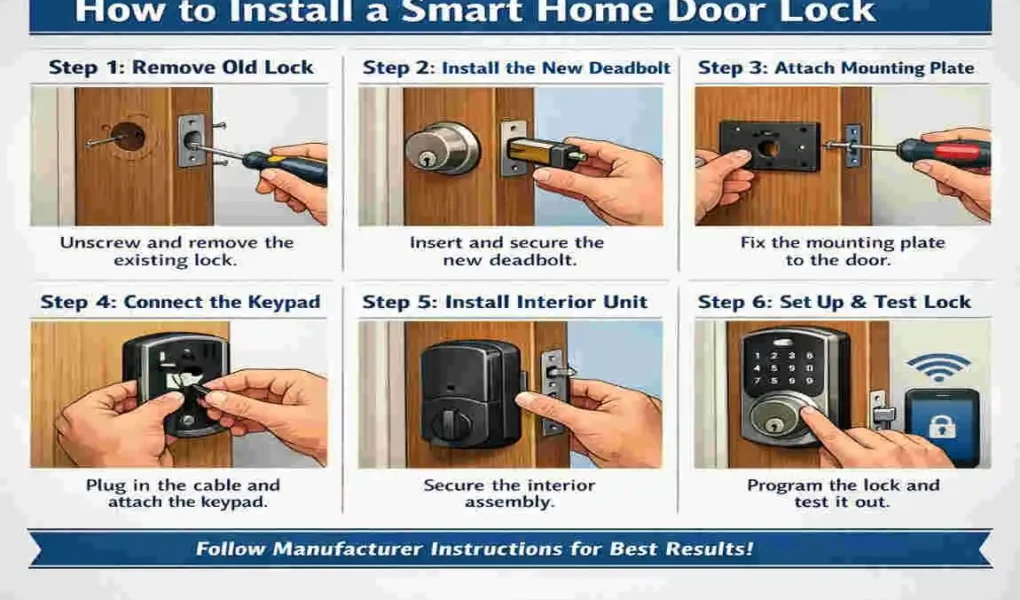
| Step | What to do |
|---|---|
| 1 | Remove the old deadbolt, knob, and strike plate. |
| 2 | Fit the new deadbolt and make sure it is centered. |
| 3 | Install or adjust the new strike plate so the bolt moves freely. |
| 4 | Attach the outside lock panel and route any wires through the door. |
| 5 | Connect the wires, secure the inside panel, and install the batteries. |
| 6 | Test the lock, then set your code or app settings. |
People are switching to a keyless door lock for simple reasons. It is easier to manage family access, check the door from anywhere, and avoid the stress of lost keys. A smart lock also fits well with today’s connected homes, where lights, cameras, and alarms often work together.
What Is a Smart Door Lock?
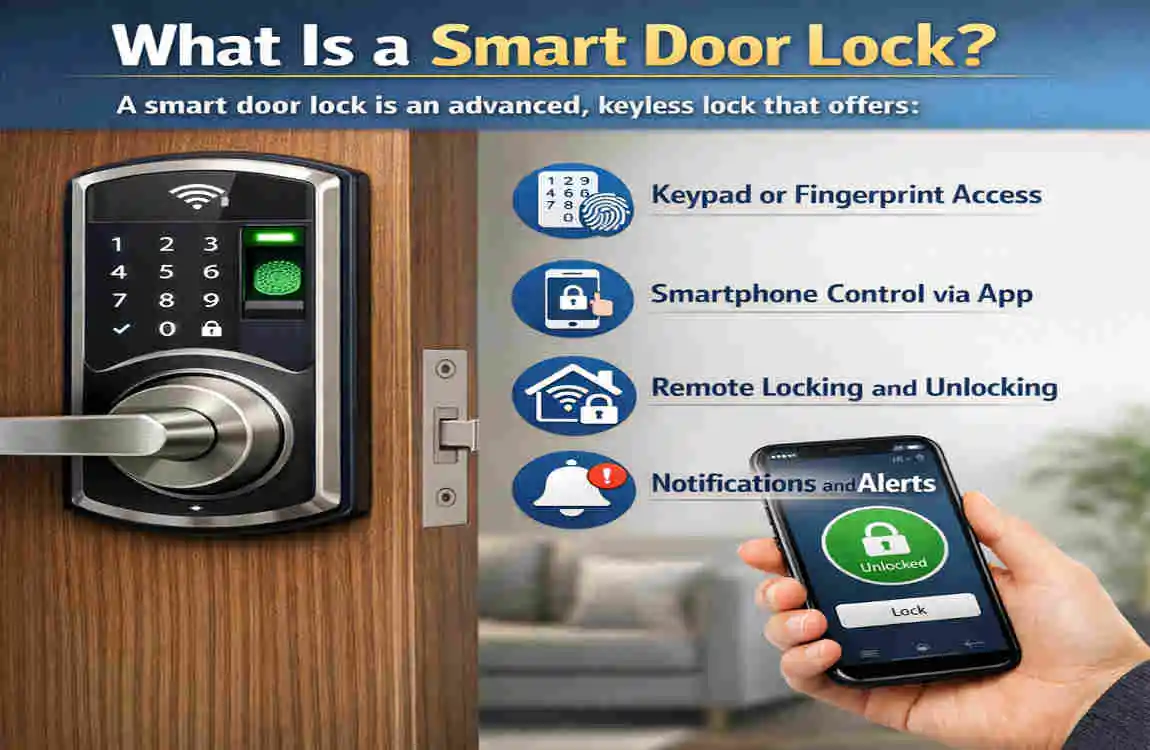
A smart door lock is an that uses wireless technology to control access. Most models work through Bluetooth, Wi-Fi, keypad codes, or a mobile app. Some also support fingerprint scanning or voice control.
Main types of smart locks
Here are the most common options:
- Deadbolt smart locks
- Lever handle locks
- Fingerprint smart locks
- Keypad door locks
- Retrofit smart locks
A Wi-Fi smart lock gives remote access, while Bluetooth models often work best when you are close to the door. A digital lock system is useful because it enables faster, safer, and easier entry.
Why it matters in smart homes
A smart lock brings convenience and better monitoring. You can lock or unlock the door remotely, check access history, and connect it with other home devices. That is why many people now see it as a key part of a modern smart home setup.
Benefits of Installing a Smart Door Lock
Better home security
A smart lock can send real-time alerts when someone enters or attempts to enter the wrong code. Many models also include auto-lock features, so you do not have to worry about leaving the door open.
More convenience
You can unlock the door with your phone, create temporary guest codes, and even use voice assistants on supported systems. This is especially helpful when you are carrying groceries or when guests arrive early.
Smart home integration
Many smart locks work with Alexa, Google Home, or Apple HomeKit. They can also connect with cameras and alarms, giving you a more complete home security setup.
Added property appeal
A smart lock can make your home feel more modern. For buyers or renters, that small upgrade often stands out.
Tools and Materials Needed Before Installation
Before you start, gather the right smart door lock installation tools. This helps the job go faster and reduces mistakes.
Essential tools
- Screwdriver
- Drill machine
- Measuring tape
- Pencil
- Chisel, if needed
- Smart lock installation kit
- Batteries
Safety preparation
Check the door thickness, confirm the lock is compatible with your deadbolt opening, and read the manufacturer’s manual first. A few minutes of preparation can save a lot of trouble later.
How to Choose the Right Smart Door Lock
Choosing the right lock matters just as much as installing it properly.
Check door compatibility
Not every lock fits every door. Wooden, metal, and uPVC doors may need different mounting styles. Measure carefully before buying.
Look at connectivity features
Think about how you want to use the lock. Bluetooth is simple. Wi-Fi gives remote access. Z-Wave often works well with wider smart home systems. Pick the one that matches your setup.
Review security features
Look for strong encryption, fingerprint authentication, and PIN code support. These features help protect your home and make the lock easier to trust.
Think about backup access
A good lock should still work if the battery dies or your phone is unavailable. Physical keys and emergency power options are important.
Match your budget
Entry-level smart locks are fine for basic needs. Premium models usually offer stronger features, better materials, and more integration options.
Smart Lock Types at a Glance
Lock Type: Best For, Main Benefit, Possible Drawback
Deadbolt smart lock , front doors , strong security , may need precise installation.
Keypad door lock , families, and guests . Easy code access . Codes must be managed carefully.
Fingerprint smart lock , Fast entry , Quick and simple unlocking, Can be pricier.
Retrofit smart lock , Renters or easy upgrades, Keeps existing hardware, May offer fewer features.
Lever handle lock , interior or side doors . Simple operation . Not always ideal for the main entry
Step-by-Step Guide: How to install a Smart Door Lock
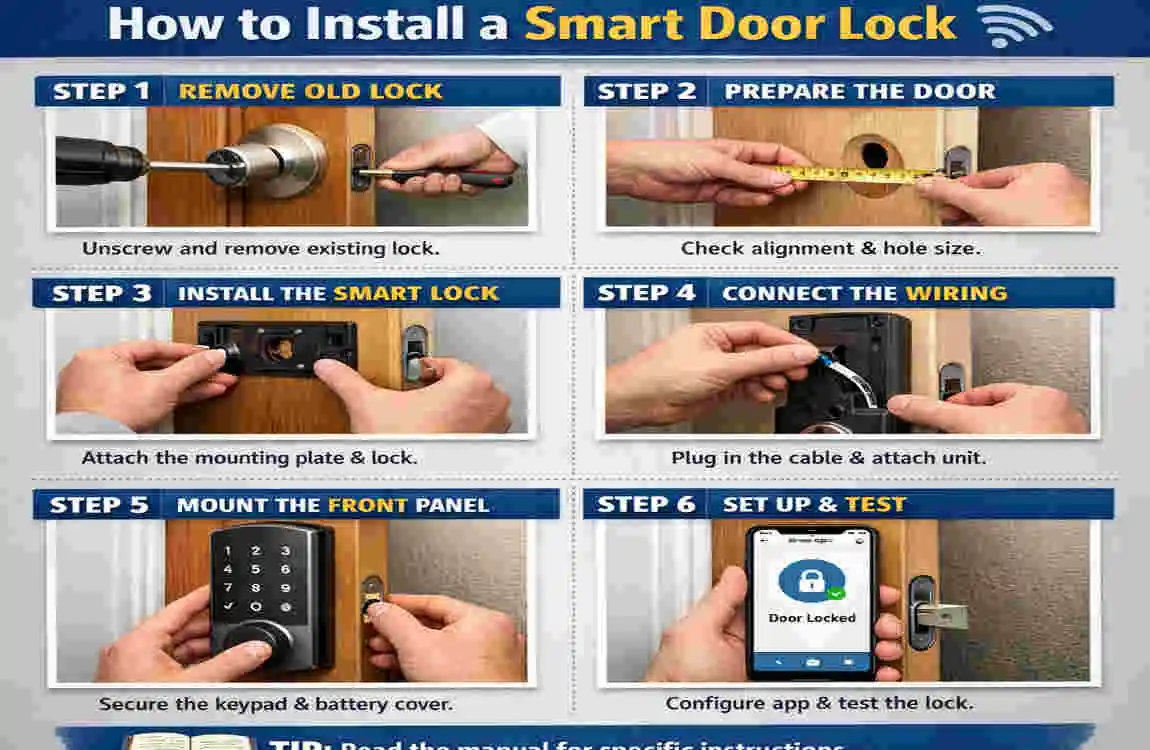
Installing a smart door lock is easier when you follow the process in order.
Remove the existing lock
Start by unscrewing the old deadbolt or handle hardware. Keep the screws in a safe place in case you need them later. Remove the lock gently so you do not damage the door.
Inspect and measure the door
Check the hole diameter, backset, and latch area. The new lock must fit properly; otherwise, it may sit crooked and work poorly.
install the new latch mechanism
Place the latch at the door edge and make sure it aligns with the strike plate. Tight fit and correct alignment matter here.
Attach the exterior panel
Feed any wires through the bore hole if your model uses them. Then firmly secure the outside keypad or lock panel to the door.
install the interior mounting plate
Place the inner plate on the back side of the door. Tighten the screws evenly so the lock stays straight and does not wobble.
Connect the wiring
If your model has a cable connector, attach it carefully. Then secure the battery pack in place. Do not force any plugs or clips.
Mount the interior lock assembly
Attach the motorized section to the mounting plate. Make sure it sits flat and does not move loosely.
Insert the batteries
Insert the batteries and watch for the power light or LED signal. This confirms the lock is getting power.
Pair the lock with the app
Download the app for your lock, create an account, and connect the device through Bluetooth or Wi-Fi. Follow the app prompts closely so the setup goes smoothly.
Test everything
Try locking and unlocking the door manually, through the app, and with the keypad or fingerprint scanner. Test the remote access feature too. If something feels off, stop and realign the parts before regular use.
Common Installation Mistakes to Avoid
Wrong measurements
A small measurement error can cause a big problem. If the door thickness or backset does not match, the lock may not fit.
Ignoring the manual
Every model is a little different. Skipping the instructions can lead to wiring problems or poor mounting.
Weak Wi-Fi signal
If your lock depends on Wi-Fi, a weak signal can cause delays or failed commands.
Loose screws
Poor tightening can cause the lock to shift over time. That may affect both security and performance.
Skipping updates
Firmware updates often fix bugs and improve security. Do not ignore them.
Smart Lock Setup and security Configuration
After installation, spend time setting up access controls.
Set PIN codes
Create an admin code for yourself and guest codes for visitors. Keep codes simple enough to remember, but not easy for others to guess.
Turn on security features.
Use two-factor authentication, auto-lock timers, and intrusion alerts if your lock supports them. These features improve protection without making daily use harder.
Connect to other devices.
You can link your lock with cameras, alarms, or smart home routines. For example, the camera can start recording when the door unlocks.
Maintenance Tips for Long-Term Performance
A smart lock needs light maintenance to keep working well.
Battery replacement
Check battery levels often and replace them before they run too low. Many locks last several months on one set, depending on use.
Clean the parts
Dust and dirt can affect moving parts. Wipe the lock gently and keep the latch area clean.
Update the firmware
Updates often fix security issues and improve app performance. Install them when available.
Test it regularly
Make sure the app, keypad, and remote access still work. A quick test now and then can prevent surprises later.
Pros and Cons of Smart Door Locks
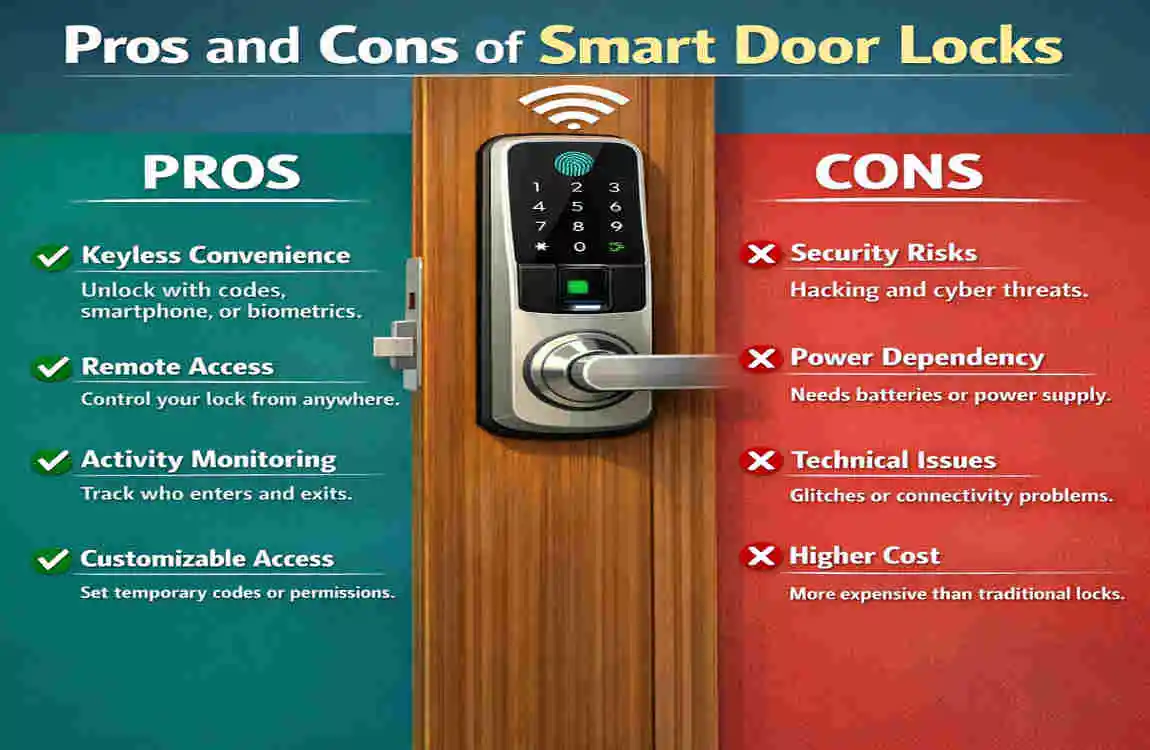
Pros
- Better security
- Keyless convenience
- Remote monitoring
- User access control
Cons
- Battery dependence
- Higher upfront cost
- Internet reliance for some features
Are Smart Door Locks Worth It?
For many homes, yes. A traditional lock is simple, but a smart door lock gives you more control and easier access. It is especially useful for busy families, renters, frequent travelers, and anyone who wants stronger smart home security. If you value convenience and modern features, the upgrade is often worth it.
Frequently Asked Questions
Can I install a smart door lock myself?
Yes, most people can. If you can handle basic tools and follow instructions carefully, DIY installation is usually possible.
Do smart locks work without Wi-Fi?
Yes, many do. Bluetooth and keypad features may still work, but remote access often needs Wi-Fi.
Are smart locks safe from hacking?
Good models use strong encryption and security updates. You should also use strong PINs, update firmware, and enable extra security features.
How long do batteries last?
It depends on the model and use, but many batteries last several months. Low-battery alerts help you replace them before they run out.
Can renters install a smart door lock?
Often yes, especially with retrofit models. Just make sure your lease allows it and that you can restore the original lock later.
What happens if power fails?
Most smart locks run on batteries, so a home power outage usually does not stop them. Some also include a physical key backup.