how to design smart homes
SECURITY Smart Home

How to Design Smart Homes: Ultimate Guide to Automation, Security

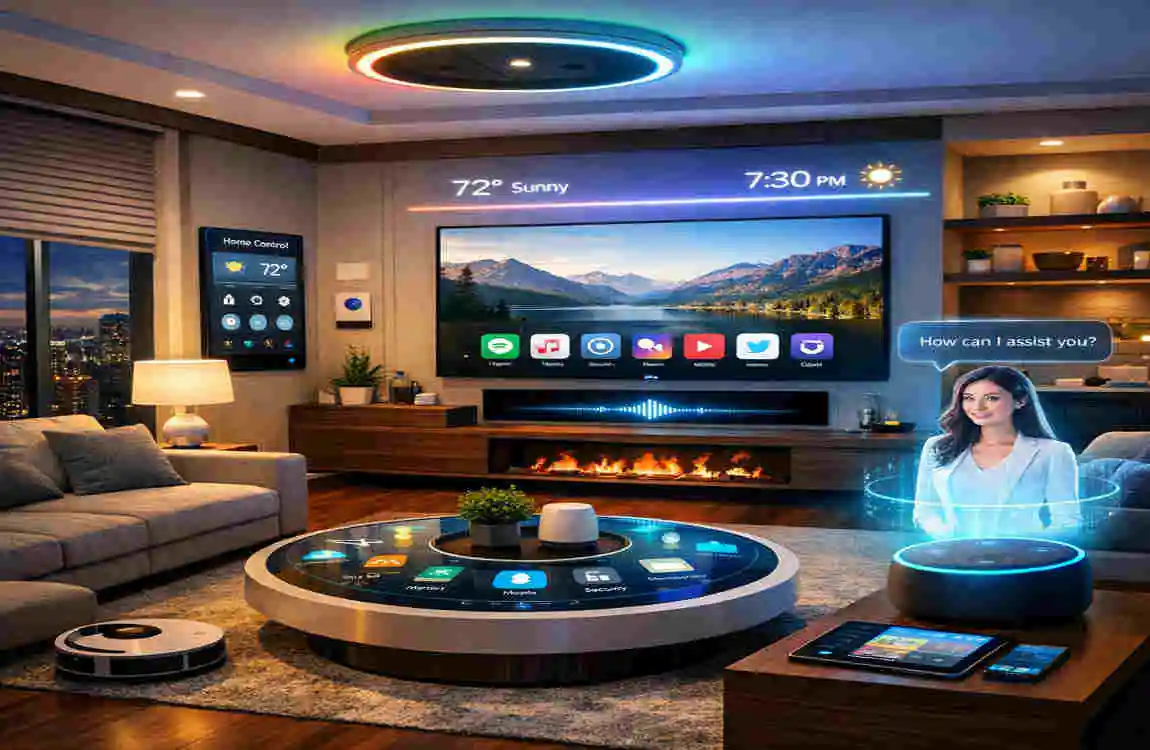
waking up in the morning, and before your feet even touch the floor, your house is already working for you. The blinds slowly rise to let in the morning sunlight, the thermostat adjusts to your preferred daytime temperature, and the rich smell of freshly brewed coffee drifts from the kitchen. This is no longer a scene from a science fiction movie. Today, in 2026, it is a daily reality for millions of people.

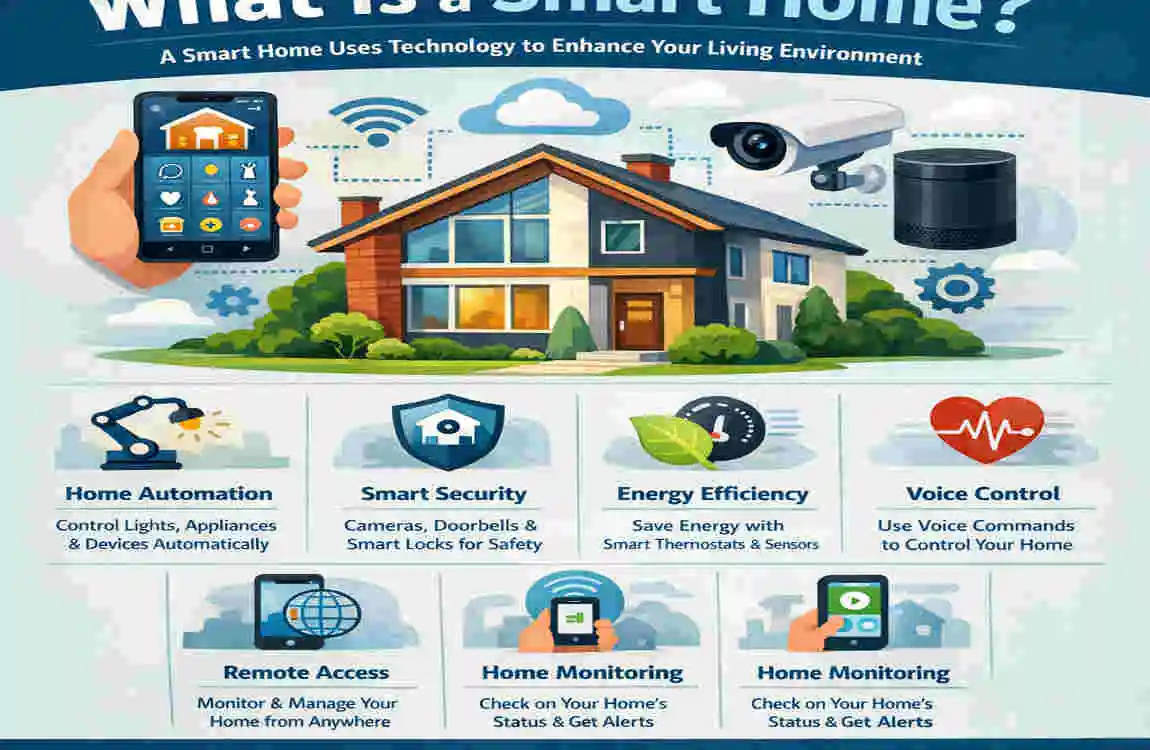
According to recent industry data, over 50% of homes will feature some form of smart technology by the end of this year. We are moving away from simple remote-controlled gadgets and entering an era of true home automation. Learning how to design smart homes is about creating an ecosystem that anticipates your needs, protects your family, and saves you money.

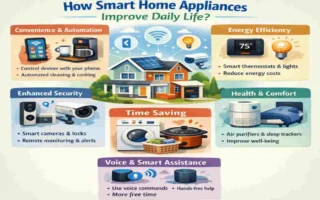
The benefits of smart home design are truly life-changing. Beyond the obvious convenience, a well-planned smart home can slash your energy consumption by an impressive 20% to 30%. It also provides unparalleled peace of mind through proactive security systems that alert you to dangers before they happen.

Why Design Smart Homes? Key Benefits and Trends in 2026

how to design smart homes

You might be asking yourself why you should bother upgrading your current setup. After all, traditional light switches and standard deadbolts have worked fine for decades. But once you understand the massive advantages of modern home automation, the choice becomes clear.

Designing a smart home is about upgrading your lifestyle. Let’s dive into the core benefits and the exciting trends defining smart living today.

Major Benefits of Home Automation

  • Energy Efficiency Gains: With automated lighting and smart thermostats, your home only uses energy when it absolutely needs to. Sensors can turn off lights in empty rooms, and climate systems can power down when you leave for work.
  • Enhanced security: Modern security goes far beyond loud alarms. Today, we use AI-powered cameras that can tell the difference between a stray dog and an intruder, alongside smart locks you can control from anywhere in the world.
  • Ultimate Convenience: Imagine controlling your entire house with your voice or setting a single “Goodnight” routine that locks the doors, turns off the lights, and arms the alarm system simultaneously.
  • Impressive Cost Savings: While there is an upfront investment, the reduction in your utility bills means most smart home setups see a full return on investment in just two to three years.

What is Trending in 2026?

The biggest game-changer in 2026 is the widespread adoption of the Matter protocol. In the past, buying smart devices was frustrating because an Apple device might not talk to an Amazon device. Matter is a universal language that allows all your devices to communicate seamlessly, regardless of the brand.

Another massive trend is AI personalization. Your smart home no longer follows simple schedules. It actually learns your habits. It notices that you prefer the living room slightly cooler on Friday evenings or that you always turn on the porch light at dusk, and it starts doing these things for you automatically.

Traditional Home vs. Smart Home Design

To give you a clearer picture of the upgrade, let’s look at how a traditional home compares to a smart home across a few key areas.

Feature: Traditional Home, Smart Home Design

Security Manual locks, standard peepholes, basic motion lights , App-controlled locks, biometric entry, AI video doorbells

Energy Management Fixed usage, manual thermostat adjustments , 25% reduction via automated climate and lighting schedules

Lighting: Wall switches only, standard bulbs. Voice-controlled, color-changing, motion-activated

Maintenance Reactive (fixing things when they break) , Proactive (leak detectors and appliance health alerts)

Step-by-Step Guide: How to Design Smart Homes from Scratch

Building a smart home seems like a giant puzzle, but it is manageable when you break it down. You do not have to automate everything at once. Taking a slow, strategic approach is usually the best way to ensure everything works flawlessly.

Here is exactly how to design smart homes for beginners, from the planning phase to the final installation.

Assess Your Space and Needs

Before you buy a single gadget, grab a pen and a notepad. Walk through your house room by room. You need to identify your biggest pain points.

Do you always forget to turn off the basement lights? Are you worried about package thieves on your front porch? Does your upstairs bedroom get too hot in the summer?

By identifying specific problems, you can choose technology that actually improves your life rather than just buying flashy toys. Write down a list of priorities. For most people, security and climate control are the best places to start.

Choose a Smart Home Ecosystem

Think of an ecosystem as the brain of your house. It is the central platform that allows all your devices to communicate. The most popular hubs are Google Home, Amazon Alexa, and Apple HomeKit.

You need to pick one primary ecosystem and stick with it. If your family heavily uses iPhones and iPads, Apple HomeKit might be the most natural fit. If you love voice shopping and already have an Amazon Echo, building around Alexa makes perfect sense.

Thanks to the Matter protocol, mixing and matching brands is easier than ever, but having a central hub that you are comfortable using is still critical for a smooth experience.

plan Your Wiring and Infrastructure

This is the step that many beginners skip, which leads to major headaches later. Smart homes rely heavily on a strong internet connection.

If your Wi-Fi router is hidden in a corner of your basement, your smart camera on the front porch is going to struggle to stay connected. You need to invest in a Mesh Wi-Fi network. This system uses multiple nodes placed around your house to blanket your entire property in a strong, fast internet signal.

Additionally, if you plan to install smart light switches, check the wiring in your walls. Most modern smart switches require a “neutral wire” to stay powered even when the light is off. If you live in an older home, consult an electrician or opt for smart bulbs instead of smart switches.

Understand Your Budget Breakdown

Smart home technology is highly scalable. You can start small and add pieces over time, or you can do a massive whole-home renovation.

Setting a budget early on helps you prioritize which rooms get automated first. To help you plan, here is a quick look at what different budget levels can achieve.

Budget Level, Estimated Cost, Typical Features Included

Starter $200 – $500: A smart speaker hub, a few smart bulbs, a video doorbell.

Mid-Range $1,000 – $2,500 Full smart lighting, smart thermostat, automated locks, outdoor cameras.

Professional $5,000+ Whole-home Audio, automated motorized blinds, integrated AI security, professional installation.

Essential Smart Home Automation Components

how to design smart homes

Now that you have a plan and an ecosystem, it is time to look at the actual hardware. The market is flooded with smart home automation systems, but you only need a few core components to make a massive impact on your daily routine.

Let’s break down the essential categories that every smart home should include.

Lighting and Climate Control

Smart lighting is usually the gateway into home automation, and for good reason. It is incredibly satisfying to turn off all the lights in your house from the comfort of your bed.

You can achieve this with smart bulbs, like the popular Philips Hue series, which allow you to change colors and brightness right from your phone. Alternatively, you can install smart wall switches, which control your existing standard bulbs.

Climate control is equally important. A smart thermostat, such as the Nest Thermostat, learns your daily schedule. It knows when you leave for work and turns the heating or cooling down to save money. When you are on your way back, it preconditions the house so you walk into the perfect temperature.

Smart Appliances and Entertainment

The kitchen and living room are the heart of the home, and IoT integration (Internet of Things) has revolutionized these spaces.

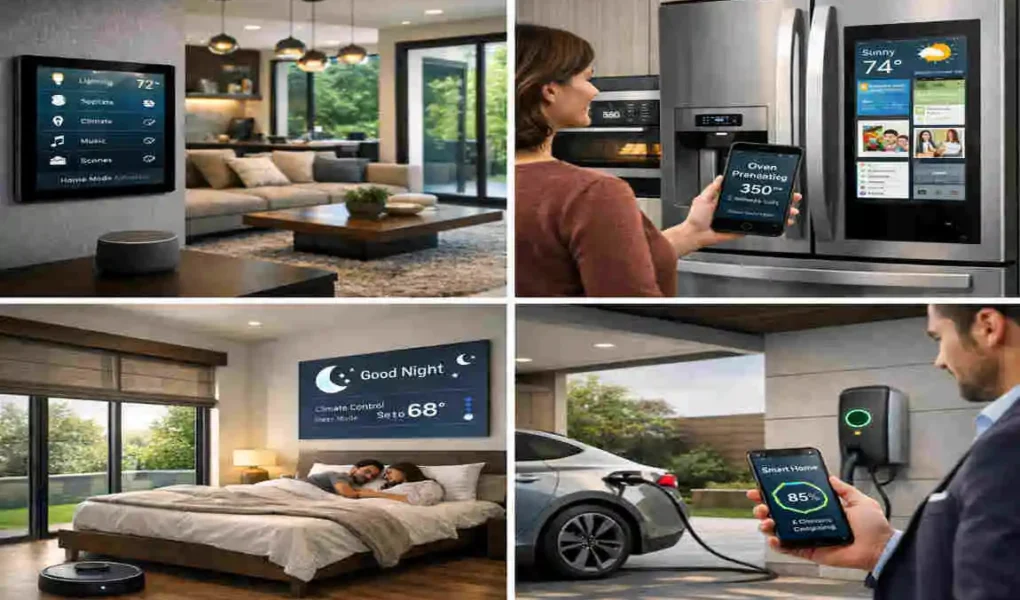
Smart refrigerators can now look inside themselves using internal cameras. They can alert you if you are running out of milk while you are at the grocery store. Smart ovens can be preheated from your phone on your commute home.

For entertainment, multi-room Audio systems like Sonos allow you to group speakers together. You can play a podcast in the kitchen while you cook, and have the same Audio seamlessly follow you into the dining room or out onto the patio.

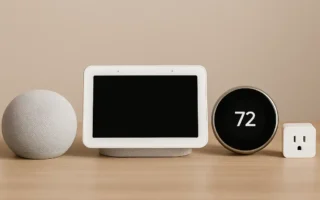
Voice Assistants and Hubs

Voice assistants are the friendly faces—or rather, friendly voices—of your smart home. They bridge the gap between complex technology and natural human interaction.

When you want to dim the lights, you do not have to pull out your phone, unlock it, find the app, and move a slider. You say, “Turn the living room lights to 20 percent.”

Choosing between Alexa, Google Assistant, and Siri often comes down to personal preference. Alexa is highly compatible with thousands of third-party devices. Google Assistant is arguably the smartest when it comes to answering general trivia and web queries. Siri offers unparalleled privacy and deep integration with your Apple devices.

Device Category Average Price Range Hub Compatibility

Smart Bulbs $50 – $200 (Starter Kits) All major hubs (Wi-Fi/Zigbee/Matter)

Smart Thermostats $150 – $300 Check specific models for Alexa/Google/Apple

Smart Speakers $50 – $250 Brand specific (Echo, Nest Audio, HomePod)

Building Ironclad security in Your Smart Home Design

When most people start looking into how to design smart homes, security is at the top of their list. We all want to protect our families, our pets, and our property.

Traditional alarm systems are great, but they are reactive. They only tell you when someone has already broken in. Smart home security is proactive. It deters criminals, warns you of unusual activity, and gives you total control over who enters your property.

Here is how to design smart homes with cameras and sensors that provide true peace of mind.

Smart Cameras and Video Doorbells

The video doorbell is arguably the most essential piece of smart home security today. Brands like Ring and Arlo allow you to see exactly who is at your front door, whether you are sitting on the couch or vacationing in another country.

But modern smart cameras go much further than just recording video. They feature advanced AI motion detection. This means your phone won’t buzz every time a tree branch blows in the wind or a car drives past your house.

The AI can distinguish between a person, an animal, and a vehicle. You can even set up “activity zones,” telling the camera to only alert you if someone steps directly onto your porch, ignoring the public sidewalk entirely.

Smart Locks and Entry Sensors

Have you ever left the house and felt that sudden panic of wondering if you remembered to lock the front door? With a smart lock, like those made by August or Schlage, that fear is gone forever.

Smart locks allow you to check the status of your door from your phone and lock it remotely. Better yet, you can hand out digital, temporary keys. If you have a dog walker coming at noon, you can give them a code that only works between 11:30 AM and 1:00 PM.

Pair your locks with simple door and window entry sensors. These small, inexpensive magnets stick to your frames. If a window is forced open, the magnetic connection breaks, and you instantly get a notification on your phone.

Advanced security Features

If you want to take your security to the next level, 2026 offers some incredible advanced features.

Facial recognition is becoming standard in high-end cameras. Your system can scan the face of the person at the door, recognize that it is your spouse, and quietly unlock the door without you having to lift a finger.

Another powerful tool is geofencing. This uses the GPS location of your smartphone. When your system detects that your phone has moved more than a mile away from your house, it automatically assumes you have left. It will then automatically lock all doors, turn off the lights, and arm the security cameras.

Your Essential security Checklist

To make sure your smart security is actually secure, you must follow basic digital hygiene. A smart camera is useless if a hacker can easily guess your password.

Always check off these boxes when setting up a new security device:

  • Enable Multi-Factor Authentication (MFA): This requires a text code in addition to your password to log into your security apps.
  • Change Default Passwords: Never leave a camera on its factory-set password.
  • Update Firmware Regularly: Turn on automatic updates so your devices always have the latest security patches.
  • Check Encryption Protocols: Ensure your camera brand uses end-to-end encryption for your private video feeds.

Integrating Automation and security Seamlessly

how to design smart homes

Buying a bunch of smart devices does not automatically give you a smart home. If you have to open five different apps to turn off your lights, check your cameras, and lock your doors, you have a house full of complicated gadgets.

The real magic happens when you integrate your automation and security seamlessly. You want to learn how to design smart homes with automation security that work together intuitively.

Creating Powerful “If-Then” Scenarios

Integration relies on creating routines, often referred to as “If-Then” scenarios. You are teaching your house rules. You say to the system: If this specific event happens, then take this specific action.

Let’s look at a few highly practical examples you can set up today.

The Intruders Deterrent Routine:

  • If the outdoor security camera detects a person in the backyard between midnight and 5:00 AM…
  • Then automatically turn on the backyard floodlights to 100% brightness and flash the living room lights red.

The Safe Arrival Routine:

  • If you unlock the front door smart lock after sunset…
  • Then disarm the indoor security sensors, turn on the hallway lights, and adjust the thermostat to 72 degrees.

The Vacation Mode Routine:

  • If you trigger the “Away on Vacation” scene…
  • Then randomly turn different lights on and off throughout the evening to simulate that someone is home, while ensuring all cameras are highly sensitive to motion.

Centralizing Control with Smart Hubs

To make these complex routines happen, your devices need a maestro to conduct the orchestra. This is where centralized platforms like Samsung SmartThings or Home Assistant shine.

These platforms act as a bridge. They allow your smart lock (which might be made by one company) to talk to your smart lights (which are made by a completely different company). By pulling all your devices into one central dashboard, you can build these cross-device automations easily.

Take your time when setting up routines. Start with one or two simple automations, see how they feel in your daily life, and slowly add more complex rules as you get comfortable.

Top Smart Home Design Tools and Software

If you are renovating a house or building one from the ground up, you need a plan. You cannot determine where your Wi-Fi dead zones will be or where your smart displays should hang.

Professionals use specialized software to map out device placement, and today, there are excellent tools available to homeowners, too. If you are searching for the best tools to design smart homes, here is what you need to know.

Floor plan Applications

Visualizing your space is the first step. Floor plan apps allow you to recreate your home digitally.

A tool like Floorplanner is fantastic for this. You can draw your rooms to scale, drag and drop furniture, and most importantly, place markers for where every single smart plug, camera, and motion sensor will go.

By looking at a top-down view of your home, you can instantly see if a security camera has a blind spot. You can also figure out exactly how many smart light switches you need to buy for the ground floor, keeping your budget highly accurate.

Smart Home Simulation Software

Once you map out the physical space, you should map out the digital space.

With the rise of the Matter protocol, simulation software like the Matter Simulator is becoming popular for advanced users. This allows you to test how different devices will interact on your network before you spend a dime.

Even if you don’t use professional simulation tools, utilizing the built-in dashboards on apps like SmartThings or Home Assistant before buying new hardware can help you verify compatibility and plan your network structure.

Common Mistakes to Avoid When Designing Smart Homes

Even the best-laid plans can run into roadblocks. Many homeowners jump into the deep end of home automation with great enthusiasm, only to hit a wall of frustration.

Learning from the errors of others will save you time, money, and your sanity. Here are the most common pitfalls and exactly how to fix them.

  1. Poor Wi-Fi Coverage: This is the number one smart home killer. If your router cannot reach your devices, they will constantly disconnect. The Solution: Do not rely on the standard router your internet provider gave you. Upgrade to a robust Mesh Wi-Fi network that can handle fifty or more connected devices simultaneously without dropping the signal.
  2. Ignoring Device Compatibility: Buying a smart thermostat on sale is great, unless it refuses to connect to your Alexa hub. The Solution: Always look for the “Works with [Your Hub]” badge on the box. In 2026, checking for the Matter logo is your safest bet to ensure universal compatibility.
  3. Automating for the Sake of Automating: Just because you can make a light flash purple when your toaster finishes, doesn’t mean you should. The Solution: Keep it practical. Overcomplicating your home makes it annoying for guests and family members to use. Start with solutions that fix real problems.
  4. Forgetting Manual Overrides: Sometimes the internet goes down. If your smart home only works via voice command, you will be sitting in the dark during a Wi-Fi outage. The Solution: Ensure you keep physical switches and manual keys as backups. A smart home should always fall back to acting like a normal home when the internet drops.

Smart Home Design Costs: Budgeting for Automation and security

Smart Home Design Costs: Budgeting for Automation and security

Let’s talk money. Understanding the cost to design smart homes is vital to prevent mid-project surprises.

Pricing has become incredibly competitive by 2026, meaning you get much more power for your dollar than you did five years ago. However, the costs can still escalate quickly if you are not careful.

Here is a realistic look at pricing tiers and what you can expect to achieve at each level.

Budget Tier: Estimated Cost, Hardware & Features Included

Basic $1,000 . A solid foundation. Includes a Mesh Wi-Fi system, 1 smart lock, a video doorbell, 1-2 indoor cameras, and smart bulbs for the main living areas. Great for apartments.

Advanced $3,000 – $5,000 Comprehensive coverage. Includes smart thermostats, whole-home smart light switches, outdoor security cameras with AI, multi-room Audio, and multiple voice hubs.

Premium $10,000+ Luxury automation. Includes motorized smart blinds, integrated whole-home security systems, smart kitchen appliances, outdoor smart irrigation, and professional installation.

When budgeting, remember to factor in potential subscription costs. Many security cameras require a small monthly fee (usually $3 to $10 a month) to store your video recordings in the cloud.

Future-Proof Your Smart Home: 2026 and Beyond

Technology moves incredibly fast. You do not want to design a smart home today that feels outdated by tomorrow.

Future-proofing means building a flexible foundation. By embracing the Matter protocol, you are already ensuring that your devices will talk to whatever new hardware comes out next year.

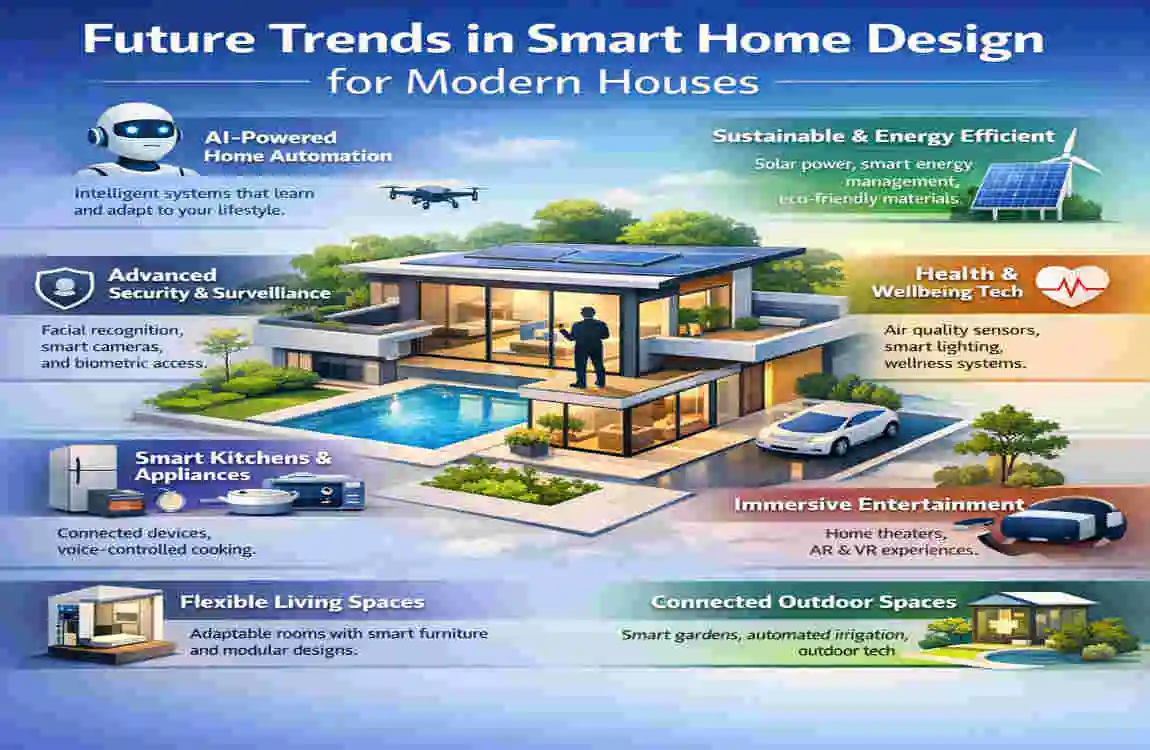
As we look beyond 2026, the trend is moving heavily toward AI hubs and Edge Computing. This means that your smart home will process data locally in your house, rather than sending it up to the cloud. This results in lightning-fast response times and drastically improved privacy.

We are also seeing a massive push toward sustainable technology. Smart homes are increasingly integrating with solar panels and home battery systems. In the near future, your smart home will intelligently decide to run your washing machine or charge your electric vehicle only when energy grid prices are at their absolute lowest.

Stay curious, keep your hub software updated, and do not be afraid to upgrade your components as this exciting technology evolves slowly.

FAQ: How to Design Smart Homes

Still have some lingering questions? You are not alone. When designing smart homes, several common questions pop up time and time again. Let’s tackle the most frequent queries to clear up any confusion.

How much does it cost to design smart homes? It entirely depends on the size of your house and the depth of the automation. You can start a basic smart home setup for around $500, focusing on a hub, some lights, and a doorbell. For a complete, whole-home system with advanced security and climate control, expect to spend between $3,000 and $10,000.

What are the best hubs for smart home automation? In 2026, the top three hubs remain Amazon Alexa, Google Home, and Apple HomeKit. If you prefer deep customization and local control, platforms like Hubitat or Home Assistant are the gold standard for enthusiasts. Choose the hub that best aligns with the smartphones and digital ecosystems you already use.

Are smart home security systems hack-proof? No system connected to the internet is 100% hack-proof. However, you can make your smart home incredibly secure by following best practices. Always use strong, unique passwords, enable two-factor authentication on all your apps, and ensure your home Wi-Fi network is secured with WPA3 encryption. If you do this, the risk of a breach drops to near zero.

Do I need a professional to install a smart home? Not necessarily. Most modern smart home gadgets are designed for easy, plug-and-play DIY installation. Anyone can screw in a smart bulb or plug in a smart speaker. However, if you are replacing wall switches, dealing with high-voltage wiring, or installing whole-home motorized blinds, it is highly recommended to hire a professional electrician or smart home installer.

You may also like...

Leave a Reply

Your email address will not be published. Required fields are marked *