Imagine this: You’ve just moved into your dream home. As you explore its nooks and crannies, you notice unique details—vintage bricks, intricate woodwork, or even a builder’s stamp on a beam. Suddenly, you’re curious: Who built my house? Was it a renowned builder, a local craftsman, or even the original owner?
In 2026, uncovering your home’s history is easier than ever. With the rise of digital tools and public records, you can now answer this question without hiring experts or spending a dime. Knowing who built your house online isn’t just about satisfying curiosity. It can help you assess construction quality, check for active warranties, or even boost your home’s resale value by highlighting its origins.
Why Uncover Your House’s Builder
The Value of Knowing Your Builder
Understanding who built your house can provide critical insights into its construction quality and history. For example, if a reputable builder built your home, it might have been constructed with higher-quality materials or techniques. This knowledge can be invaluable if you’re planning renovations or repairs.
Additionally, if your home is relatively new, the builder might still offer active warranties. These warranties can save you money on repairs or replacements for structural issues. On the other hand, if you’re selling your home, highlighting a well-known builder can increase buyer confidence and potentially boost your property‘s value.
Why Homeowners Are Searching
In recent years, there’s been a surge in homeowners researching their property’s history. Post-pandemic, property research inquiries have increased by over 40%, reflecting a growing interest in home flipping, insurance claims, and historical preservation. In 2026, uncovering your home’s builder is no longer a tedious task—it’s a quick, no-cost process thanks to digitized records and online tools.
County Property Appraiser Sites
Why Start Here?
County property appraiser sites are often the most reliable source for uncovering your home’s builder. These official portals provide access to property records, including building permits that often list the builder’s name.
How to Use County Records
- Search for Your County’s Property Appraiser Website: Use a search engine to find your local assessor or recorder’s site.
- Enter Your Address: Most sites have a search bar where you can input your property‘s address.
- Look for Building Permits or Deed History: These documents often include the builder’s name, construction dates, and other valuable details.
Pros and Cons
- Pros: Accurate, official, and free to access.
- Cons: Availability and ease of use vary by location.
Example
In Florida, many county property appraiser sites provide full permit logs, making it easy to trace your home’s builder.
Zillow or Redfin Property Records
Leveraging Real Estate Platforms
Zillow and Redfin aren’t just for house hunting—they’re also excellent tools for uncovering property histories. Both platforms provide details such as the year built and, in some cases, the builder’s name.
How to Search
- Search Your Address: Enter your property’s address on Zillow or Redfin.
- Scroll to Public Records, then look for sections like “Owner History” or “Facts and Features.”
- Cross-Reference Permits: Use the information to identify builders or developers.
User Tip
Zillow’s Zestimate feature can provide deeper insights into your home’s history, including sales patterns that might reveal the builder.
Reonomy or PropertyShark (Free Tiers)
What Are These Tools?
Reonomy and PropertyShark aggregate public records, making it easy to trace ownership chains and uncover builder details. These tools are particularly useful for urban homes.
How to Use
- Input Your Address: Enter your property’s address into the platform.
- Check the “Construction Permits” Tab: Look for subcontractor names tied to the original build.
Why It Works
These platforms provide a comprehensive view of property histories, including builder information, for free.
Historic Map Archives
Exploring Sanborn Fire Insurance Maps
Historic maps, like Sanborn Fire Insurance Maps, offer a unique way to trace your home’s history. These maps, available at libraries or in online archives, show building footprints and ownership details dating back to the 1880s.
How to Search
- Search for Your city’s Sanborn Maps: Use keywords like “[city] Sanborn Map [Year].”
- Trace Lot History: Look for details about pre-build owners or builders.
Ideal for Older Homes
If your home was built before the 1950s, these maps can reveal fascinating details about its origins and the evolution of its neighborhood.
Google Maps Street View History
Visualizing Construction Phases
Google Maps’ Street View feature allows you to view past images of your property, helping you identify construction phases or builder signage.
How to Use
- Enter Your Address in Google Maps: Navigate to your property.
- Click the Clock Icon: Use the timeline slider to view past images.
- Look for Builder Clues: Signs, timestamps, or unique features can provide valuable insights.
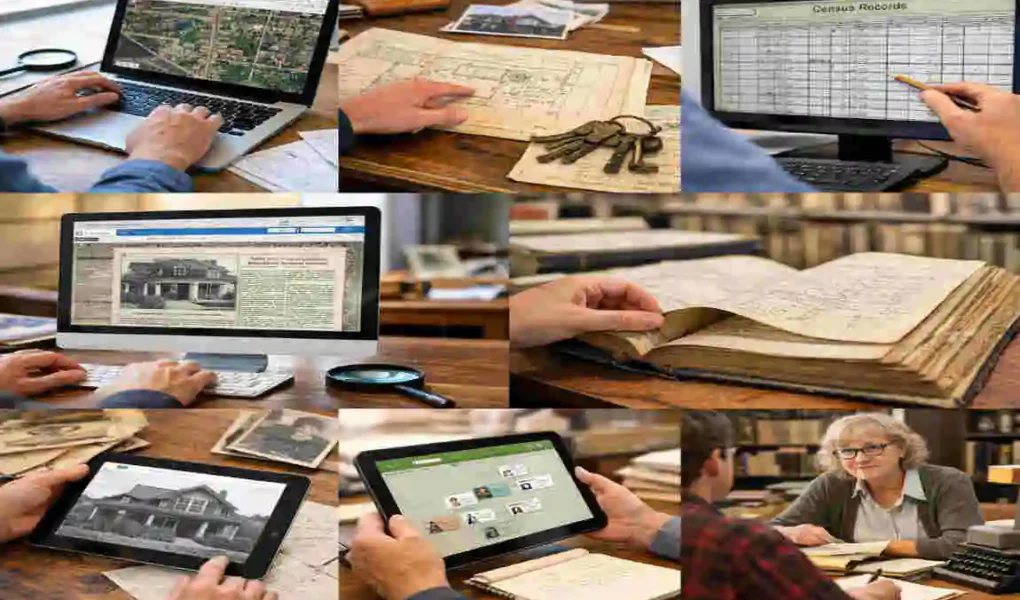
FamilySearch or Ancestry Free Census Records
Linking Addresses to Early Owners
FamilySearch and Ancestry offer free access to census records, which can link your address to early owners who may have commissioned builders.
Steps to Follow
- Search Your Address in Census Collections: Look for U.S. Census records from the 1900s onward.
- Note Occupations: Builders or carpenters might be listed in the records.
Global Access
These tools are accessible worldwide and don’t require a login for basic searches.
Local Permit Portals
Accessing Municipal Building Departments
Many cities have digitized their building permit records, making it easy to find original construction filings.
How to Search
- Visit your city’s Building Department Website: Search for “[city] Building Permits Online.”
- Filter by Address: Look for permits related to “new construction.”
- Find Builder Names: Permits often list contractors directly.
Advanced Tips for Success

Layering Tools
For the best results, combine multiple tools. Start with county property records, validate information using Zillow or Redfin, and visualize construction phases with Google Maps.
Overcoming Dead Ends
If you hit a roadblock, try searching for nearby addresses or submitting a Freedom of Information Act (FOIA) request to access deeper records.
Common Pitfalls and Fixes
- Pitfall: Rural areas may lack digitized records.
- Fix: Check state archives or local libraries.
- Pitfall: Privacy blocks on certain records.
- Fix: Focus on public permits and avoid personal data.
Who Built Your House Online? FAQ
Q: How can I find out who built my house online?
A: The easiest way is to check your county property records or building permits online. These official records often list the original builder’s name, especially for homes built in recent decades .
Q: Are these records free to access?
Yes, most counties provide free online access to property and permit records. You just need your home’s address to start the search .
Q: What if I can’t find the builder’s name in county records?
Try other sources like real estate websites (Zillow, Redfin), local building departments, or even look for subcontractor stickers on appliances in your home. Sometimes, contacting these subcontractors can lead you to the builder .
Q: Can I find builder info for older homes?
For older homes, you might need to dig into historic deeds, title abstracts, or census data available through local libraries or online archives. These can provide clues about original owners or builders .
Q: Is it legal to access this information?
Yes, these are public records meant for transparency. Just ensure you use official and legal sources like county websites or government portals .
Q: Why should I find out who built my house?
Knowing your builder helps assess construction quality, check for active warranties, and can boost resale value. It also helps if you plan renovations or insurance claims .
If you want to start your search, gather your address and year built, then explore your county’s property records portal first—it’s usually the most reliable and free resource .