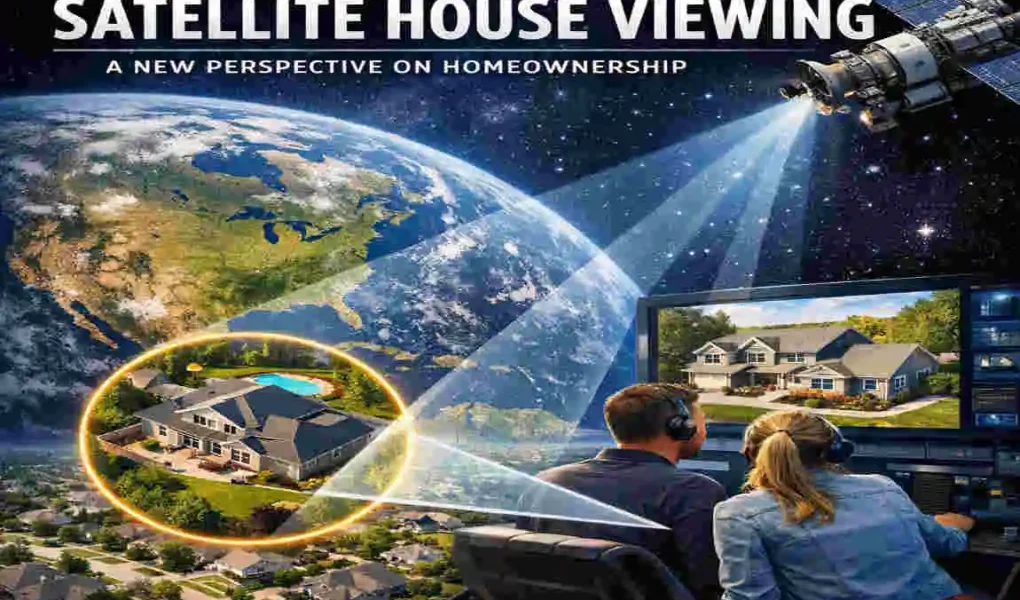
Imagine being able to view your house from space, as if you were an astronaut gazing down at Earth. Thanks to the wonders of satellite technology, this once far-fetched idea is now a part of our everyday reality. Satellite imagery has transformed how we think about homeownership, offering a bird’s-eye view of our homes and neighbourhoods.
Today, you don’t need to be a scientist or government official to access satellite images. With just a few clicks, anyone can view high-resolution images of their property.
The Evolution of Satellite Technology
Brief History of Satellite Imagery
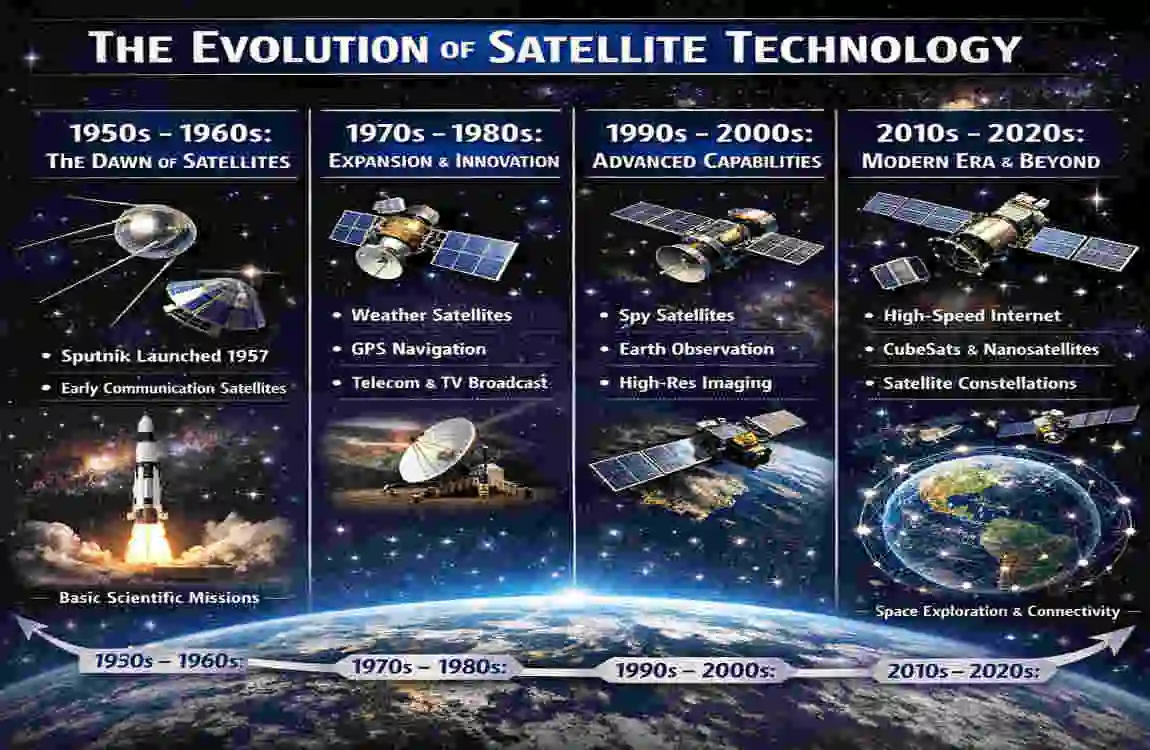
Satellite technology didn’t start as the accessible tool we use today. The first satellites, like Sputnik in 1957, were designed for scientific and military purposes. Early satellites were primarily used for weather monitoring and communication. Gradually, technological advancements enabled satellites to capture images of Earth, initially reserved for military surveillance and scientific research.
By the late 20th century, satellite imagery began expanding into civilian use. Companies like Google revolutionised this field by creating platforms such as Google Earth, enabling ordinary people to view any location on the planet. Today, satellite technology is so advanced that it can capture high-resolution images of individual properties, providing incredible detail and opening up possibilities for personal and professional use.
The Role of Satellites in Modern Homeownership
Over the years, satellite imagery has evolved to play an important role in real estate, urban planning, and personal use. High-resolution images allow homeowners to view their properties from a unique perspective, helping with tasks like property assessment, landscaping, and even security planning. This technology has also become an essential tool for buyers and sellers in the real estate market, providing valuable insights without ever leaving home.
Why People Want to View Their House from a Satellite
Practical Applications for Homeowners
Satellite viewing isn’t just a cool novelty—it serves several practical purposes for homeowners:
- Property Monitoring: Satellite images enable you to assess your property’s condition remotely. For instance, you can assess roof damage after a storm or monitor the state of your landscaping.
- Landscaping and Planning: A bird’s-eye view of outdoor spaces can help you plan garden layouts, swimming pools, or other landscaping projects.
- Home security: Satellite tools can identify potential blind spots or vulnerabilities around your property, offering insights to enhance security.
Curiosity and Personal Interest
For many people, viewing their house from space is simply a fascinating experience. It’s not every day you get to see your home in the context of the larger world. This perspective helps you appreciate how your property fits into your community, city, or even the global environment. It’s a reminder of how connected we all are.
Real Estate Benefits
Satellite imagery is a game-changer for the real estate industry.
- For Buyers: It allows potential buyers to evaluate neighbourhoods, nearby amenities, and property layouts without visiting in person.
- For Sellers: High-quality satellite images can enhance property listings, giving potential buyers a more comprehensive view of the home.
How Can I View My House from Satellite?
Free Tools for Viewing Your House from Satellite
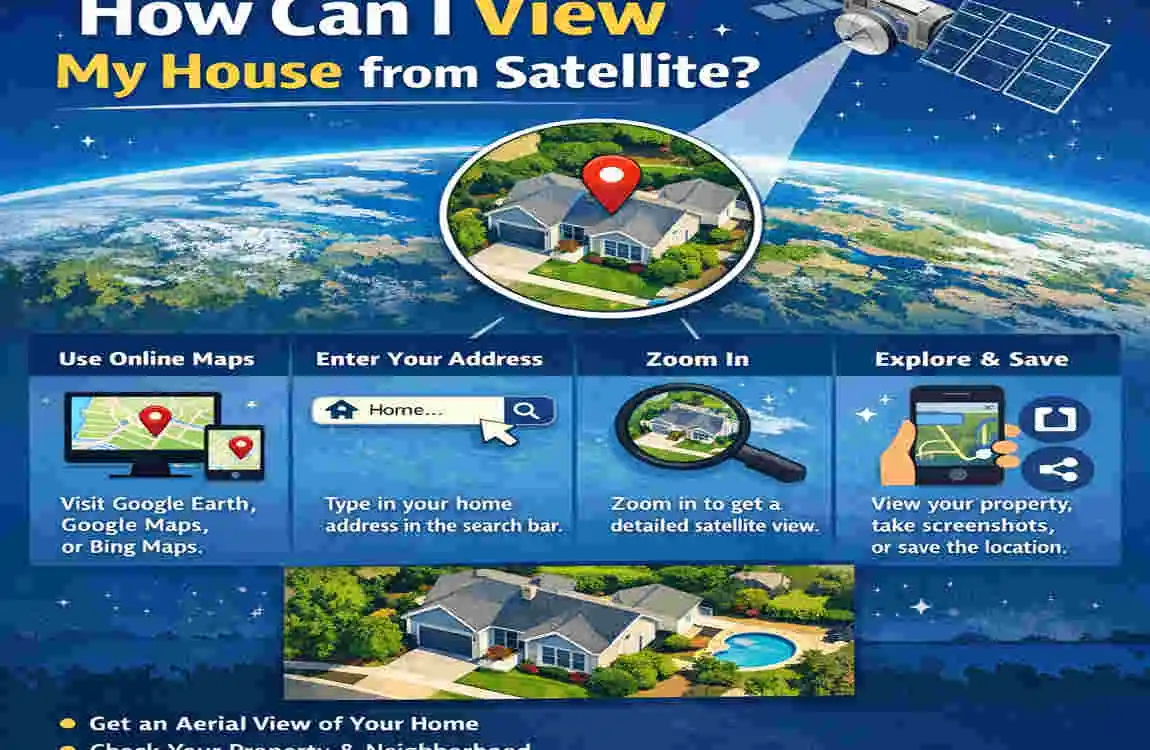
If you’re new to satellite viewing, free tools are a great place to start. Here are some popular options:
- Google Earth: Probably the most famous platform. It offers detailed satellite images and even street views.
- Google Maps: Provides a simpler interface with aerial and street view options.
- Bing Maps: A lesser-known alternative with excellent aerial imagery.
Follow these steps to view your house using Google Earth:
- Open Google Earth on your computer or download the app on your device.
- Enter your address in the search bar.
- Use the zoom and navigation tools to explore your property.
- Switch to different views, such as satellite Mode or street view, for more detail.
Subscription-Based Tools for High-Resolution Images
For those who need even higher-quality images, subscription-based platforms like Nearmap and Planet Labs offer advanced features. While free tools are great for casual use, these paid services offer up-to-date, high-resolution images that are especially useful for professionals like architects and developers.
FeatureFree Tools (e.g., Google Earth)Paid Tools (e.g., Nearmap)
Image Resolution Medium High
Update Frequency Less frequent Regular updates
Cost Free Subscription required
Ideal For Casual viewing , professional use
Mobile Apps for Satellite Viewing
If you’re always on the go, mobile apps like Google Earth Mobile or Zoom Earth make satellite viewing incredibly convenient. These apps are user-friendly, offering features like live weather overlays, historical data, and more.
Benefits of Satellite House Viewing for Homeownership
Improved Decision-Making
Satellite imagery helps homeowners make informed decisions. Whether you’re buying a new property or considering renovations, having a detailed view of the house and its surroundings can make planning easier.
Environmental Awareness
Viewing your property from space helps you better understand how it integrates with the surrounding environment. This is especially useful for monitoring changes in land use and vegetation, as well as potential environmental risks such as flooding or erosion.
Enhanced security and Safety
Satellite tools can help you identify and address potential security risks, such as blind spots around your house. They also allow you to monitor property boundaries and detect any unauthorised encroachments.
Challenges and Limitations of Satellite Viewing
Privacy Concerns
One of the biggest concerns with satellite imagery is privacy. While these tools offer many benefits, they also raise questions about how much of our personal space is visible to others. It’s important to understand that most satellite tools blur sensitive details to protect privacy.
Resolution and Timeliness
Free satellite images are often outdated or low-resolution. For example, Google Earth images might be several months or even years old. This can be limiting if you’re looking for real-time information.
Accessibility Issues
Not everyone has access to high-speed internet or the digital literacy needed to use these tools effectively. This creates a barrier for some individuals, especially in rural or underdeveloped areas.
Future of Satellite Technology in Homeownership

Advancements in High-Resolution Imaging
As technology continues to evolve, future satellites will likely provide even clearer and more detailed images. This will open up new possibilities for homeowners, from precise property measurements to better environmental monitoring.
Integration with Smart Home Technology
Imagine linking satellite imagery with your smart home system. You could use this data to automate landscaping tools, monitor weather patterns, or even control irrigation systems based on real-time environmental data.
Sustainability and Urban Development
Satellite data is also paving the way for sustainable development. Governments and urban planners can use this information to design eco-friendly neighbourhoods and monitor the environmental impact of construction projects.
Step-by-Step Guide: How to Use Google Earth to View Your House
Access Google Earth
Start by visiting the Google Earth website or downloading the app on your device. It’s free and easy to use.
Search for Your Address
Type your home address into the search bar and press enter. Google Earth will zoom into your location.
Explore Additional Features
Take advantage of features like 3D views for a more immersive experience, historical imagery to see how your property has changed over time, or street view for a ground-level perspective.
FAQs
Q: How accurate are satellite images of houses?
Satellite images are generally accurate, but resolution and timeliness depend on the platform. Free tools may not update images frequently, while paid services offer more precision.
Q: Are there any privacy risks in using satellite tools to view houses?
Most satellite tools blur sensitive details to protect privacy. However, some users still express concerns about the visibility of their property.
Q: Can I use satellite imagery for property planning or renovations?
Absolutely! Satellite images are a valuable tool for assessing property layouts, planning landscaping projects, and even identifying potential risks such as flooding.
| Aspect | Description | Benefit |
|---|---|---|
| Technology Used | Satellite imagery platforms like Google Earth, Bing Maps, and specialized services | Easy and remote access to property views |
| User Applications | Property monitoring, landscaping, security, real estate evaluation | Informed decision-making and planning |
| Image Resolution | Varies from free low-to-mid resolution to high-resolution paid services | Flexibility based on user needs |
| Accessibility | Available via web browsers and mobile apps | Convenient anytime, anywhere access |
| Limitations | Privacy concerns, image update frequency, and internet access | Awareness of data limitations |
| Future Trends | Higher resolution, integration with smart home tech, urban sustainability | Enhanced property management and eco-awareness |