More homes are switching to fiber optic internet because people want faster downloads, smoother streaming, and better performance for work and gaming. If you are thinking about an upgrade, you may be asking yourself: Does my house need to be rewired for fiber internet?
| Factor to Check | What to Look For | Rewiring Needed? |
|---|---|---|
| Existing Ethernet Cables | Cat5e, Cat6, or newer cables already installed | Usually No |
| Old Telephone Wiring | Home relies mainly on phone lines for internet | Possibly Yes |
| Internet Performance | Frequent slow speeds or connection drops | Maybe |
| Number of Connected Devices | Many smart devices, gaming systems, and workstations | May Benefit from Rewiring |
| Home Size | Large homes with Wi-Fi dead zones | Possibly |
| Ethernet Ports Available | Few or no Ethernet ports in key rooms | Maybe |
The good news is that most homes do not need a full rewiring job. In many cases, fiber can be installed with only a few changes to your current setup. What matters most is the condition of your home network wiring, the age of your cables, and how you want to use the internet in different rooms.
Understanding How Fiber Internet Works
What Fiber Internet Is
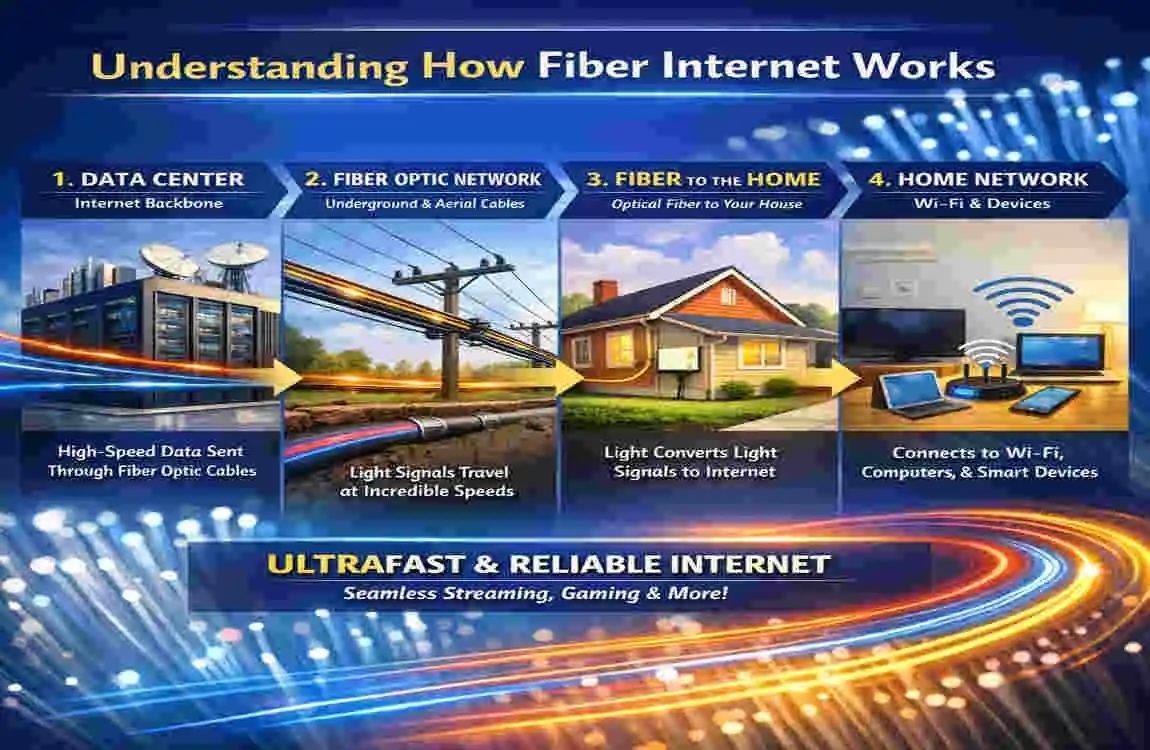
Fiber internet uses thin glass strands to send data as light. That sounds technical, but the idea is simple: light moves very fast, so data can travel quickly and reliably. This is one reason fiber internet is faster than cable internet and DSL in many homes.
Why Fiber Is So Fast
Fiber stands out for its ability to deliver higher speeds, lower lag, and more stable connections. That means faster uploads, quicker downloads, and fewer slowdowns when many devices are online at once.
What the Setup Usually Includes
A fiber internet setup usually has:
- A fiber line coming into your home
- An Optical Network Terminal (ONT) that converts the signal
- A router that shares the connection with your devices
In many homes, the fiber line only needs to reach the ONT. After that, your home can use Ethernet, Wi-Fi, or other existing connections.
Does My House Need to Be Rewired for Fiber Internet?
The Short Answer
In most cases, no. Your home usually does not need complete rewiring for fiber internet installation. The provider may only need to bring fiber to your house and connect it to your network equipment.
When Existing Wiring Is Enough
If your home already has Ethernet cabling, modern wiring, or a strong wireless network, you may not need major changes. A good router and a proper ONT setup can support a very fast connection without having to rebuild the whole house.
When Rewiring May Help
Rewiring becomes more useful when your home has old telephone wiring, damaged cables, poor signal coverage, or a layout that makes Wi-Fi weak in some rooms. Homes with smart devices, work-from-home setups, or gaming systems may also benefit from a stronger internal network.
A Common Misunderstanding
Many people think fiber must replace every wire in the home. That is not true. Fiber outside the house is not the same as home wiring inside the house. The provider may install fiber to a single location, while your internal network can still use Ethernet or Wi-Fi.
Signs Your Home May Need an Internet Wiring Upgrade
Old Wiring Still in Use
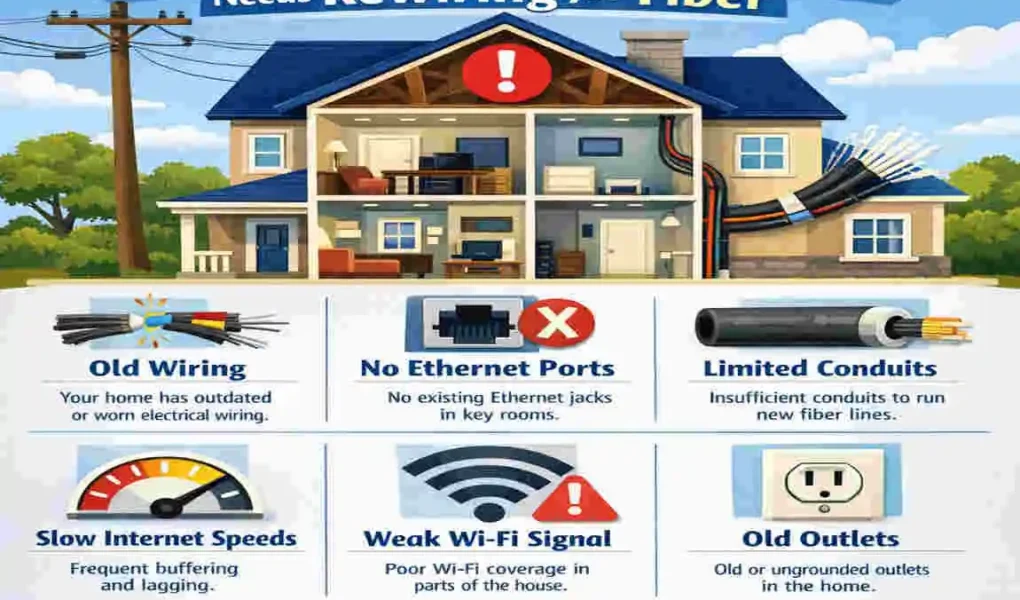
If your house still depends on old telephone lines, your internet may not perform well. These wires were not designed for modern speeds, so that they can slow down your connection.
Slow or Unstable Connections
Frequent drops, slow loading, or low speeds in more than one room can indicate a home network problem. If the fiber service is fast but your devices still struggle, the issue may be inside the house.
Not Enough Ethernet Access
Ethernet cabling gives you a more stable connection than Wi-Fi. This matters if you work from home, game online, or stream in high quality. If your home has no Ethernet ports, you may want to add them when setting up fiber internet.
Large Homes and Dead Zones
Big homes often have Wi-Fi dead zones. Walls, floors, and distance can weaken the signal. In these cases, rewiring or improving the home network layout can improve coverage.
Different Types of Home Wiring and Their Compatibility with Fiber
Does Wiring Type Work Well with Fiber? Notes
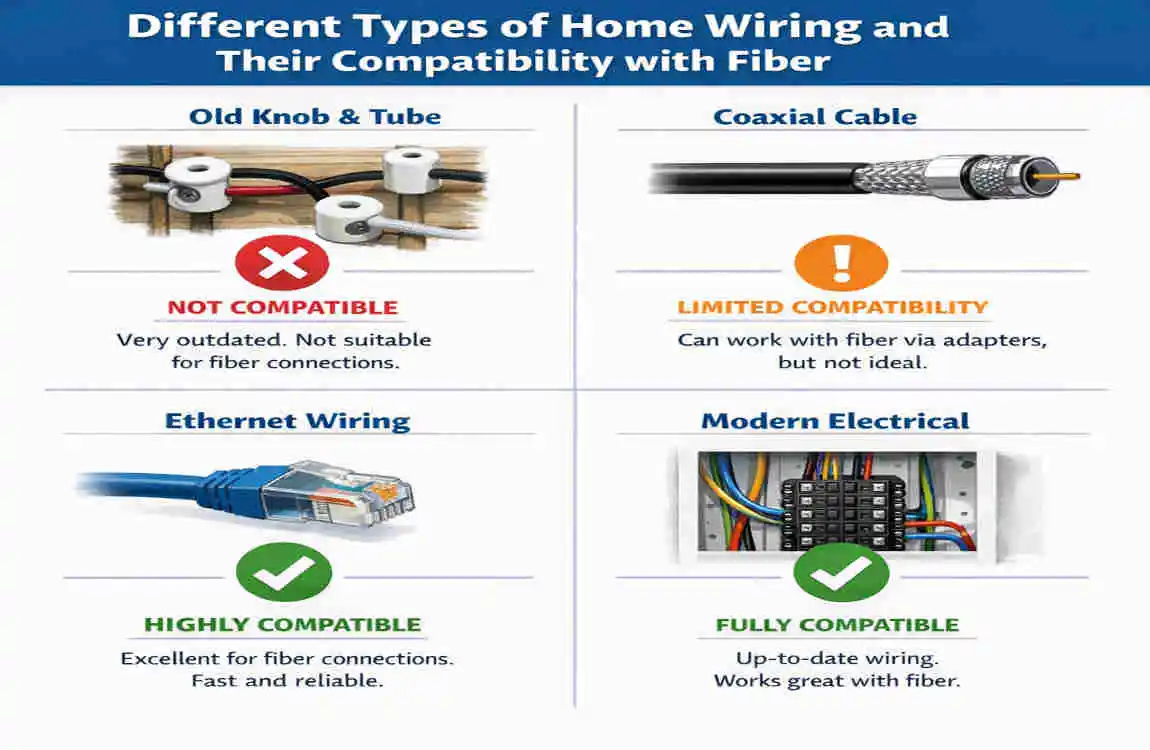
Ethernet Yes Best for fast, stable connections
Coaxial cable Sometimes Can help in some homes, but it is less direct than Ethernet.
Telephone wiring Usually not ideal Often too old for modern internet needs
Wi-Fi Yes, as part of the setup Great for convenience, but can be affected by distance and walls
Ethernet Is Usually the Best Match
If you want the best home network wiring for fiber, Cat5e, Cat6, or Cat6a Ethernet is usually the strongest choice. It helps you get reliable speed to devices that need it most.
Older Wiring Has Limits
Telephone wiring and older cables may still work in some cases, but they are not ideal for fiber optic internet. They can create weak spots, especially in older homes.
How Providers Check Your Home
Property Inspection
Before installation, the provider often checks where the fiber line can enter your home and where the equipment should go. They look for the easiest and safest place to place the ONT and router.
Internal Network Review
The technician may also look at your existing wiring, room layout, and internet needs. If they see weak wiring or poor coverage, they may suggest an internet wiring upgrade.
Installation Advice
Sometimes the recommendation is simple, like adding a new Ethernet line or moving the router. Other times, a larger home rewiring for internet may be suggested if the current setup is too old or too limited.
Benefits of Rewiring for Fiber Internet
Better Speed and Stability
A stronger internal network helps you enjoy the full value of fiber internet. You get faster, steadier service across more devices.
Better Smart Home Support
If you use cameras, speakers, thermostats, or other smart devices, solid wiring can make your smart home networking much smoother.
Better Long-Term Value
A modern network setup can make your home more appealing to future buyers. Many people see updated home network wiring as a useful feature, not just a convenience.
Alternatives to Full Rewiring
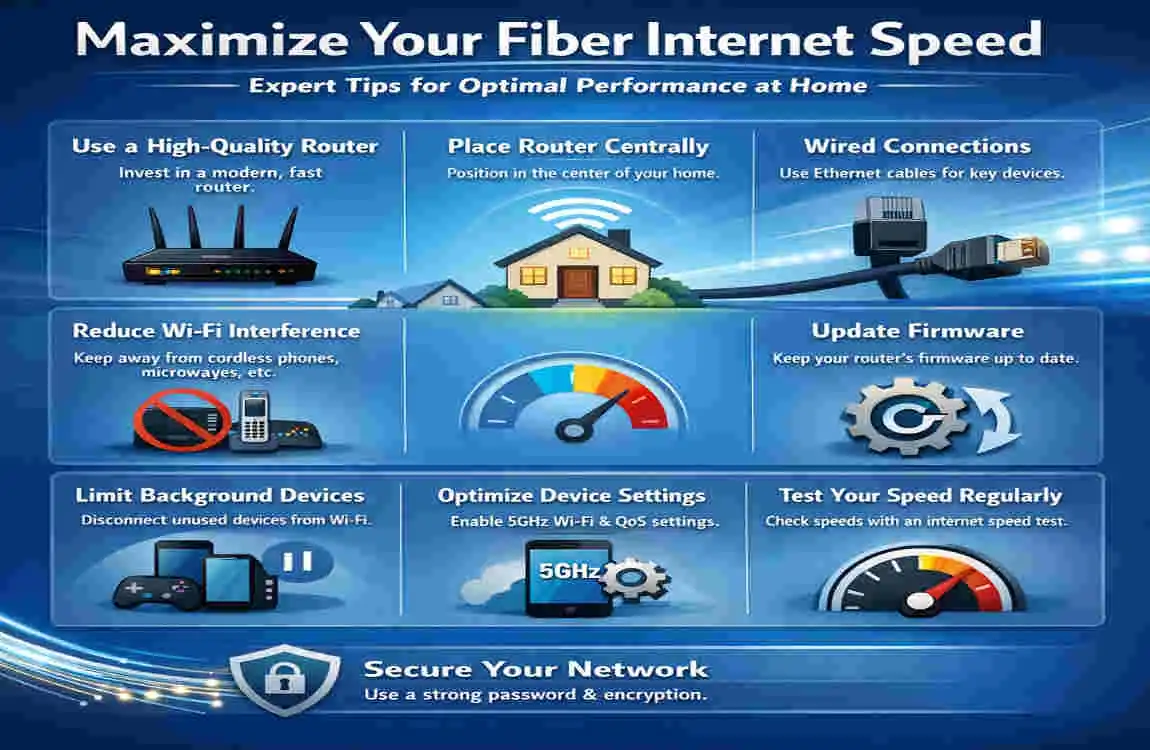
If you do not want major work done, there are other options:
- Mesh Wi-Fi systems for wider coverage
- MoCA adapters if your home already has coaxial cable
- Powerline adapters for sending data through electrical wiring
- Better router placement to reduce dead zones
These options can improve internet performance without a full home rewiring.
FAQ: Does My House Need to Be Rewired for Fiber Internet?
Does my house need to be rewired for fiber internet?
Not necessarily. Many homes can use existing Ethernet wiring or Wi-Fi networks, with fiber connecting to an Optical Network Terminal (ONT) installed by the provider.
Can fiber internet work with my current Ethernet cables?
Yes. Modern Ethernet cables such as Cat5e, Cat6, or newer are typically compatible with fiber internet connections inside the home.
Do older homes require rewiring for fiber installation?
Older homes may need some networking upgrades if they rely on outdated telephone wiring or lack adequate Ethernet connections.
Will the internet provider install new wiring?
Most providers install the fiber line to your home and set up the ONT. Additional internal wiring upgrades may be offered or recommended if needed.
Can I use Wi-Fi instead of rewiring my house?
Yes. Many homeowners use a router or mesh Wi-Fi system to distribute fiber internet throughout the house without extensive rewiring.
How can I tell if my home needs rewiring?
Signs include slow connections, limited Ethernet ports, outdated wiring, frequent network issues, or poor internet performance in multiple rooms.